
Apple Launches New MacBook Pro With OLED Touchscreen: Features, Design and Price
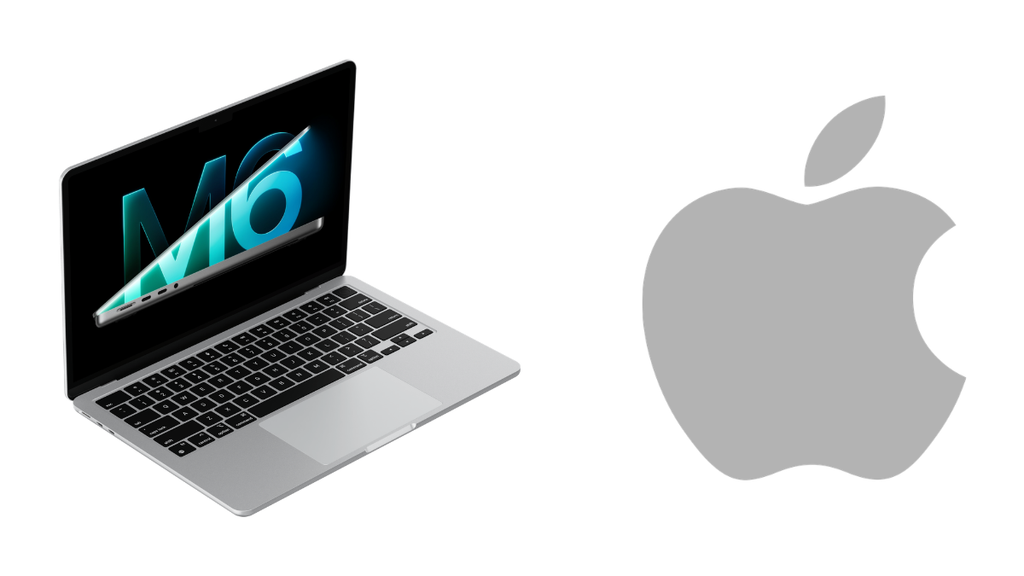
Apple has changed one of the most familiar things about the MacBook Pro: how users interact with its display. The latest MacBook Pro introduces touchscreen support alongside a new tandem OLED display, bringing direct touch interaction to Apple’s professional laptop lineup for the first time.
The change is more significant than it might sound. For years, MacBook users have relied on the keyboard, trackpad and external accessories to control their work. With the new model, users can also interact directly with content on the screen, whether they are editing a presentation, zooming into a photo or working on a creative project.
Apple has also introduced a thinner design, Dynamic Island for Mac and updated software features. Here’s what is new in the touchscreen MacBook Pro, which features matter most, and whether it could be worth considering for your next laptop upgrade.
Table of Contents
New MacBook Pro: What’s New?
The redesigned MacBook Pro comes in 14-inch and 16-inch versions and combines display upgrades with Apple’s existing professional-performance hardware.
| Feature | Details |
|---|---|
| Display sizes | 14.2-inch and 16.3-inch |
| Display technology | Tandem OLED |
| Display branding | PROLED XDR |
| Touchscreen | Yes |
| Refresh rate | Up to 120Hz, adaptive |
| Peak brightness | Up to 2,000 nits |
| Processor options | Apple M5 Pro and M5 Max |
| Unified memory | Up to 128GB |
| Maximum storage | Up to 16TB SSD |
| Battery life | Up to 24 hours, according to Apple |
| Wireless connectivity | Wi-Fi 7 and Bluetooth 6 |
| Ports | Thunderbolt 5, HDMI, SDXC, MagSafe and headphone jack |
| Operating system | macOS 27 |
| Pre-orders | Began October 28, 2026 |
| Availability | Starts November 6, 2026 |
Specifications depend on the selected configuration. Battery life is an estimate supplied by Apple and may vary with actual usage.
1. Touchscreen Finally Arrives on MacBook Pro
The touchscreen is the biggest change in the new MacBook Pro. Unlike a traditional laptop display, it lets users interact directly with what they see instead of relying entirely on the trackpad.
Simple actions such as scrolling through a webpage, zooming into an image or moving an object in a presentation can now be performed with a finger. Users can also interact with windows and arrange them using touch gestures.
For creative professionals, the possibilities are particularly interesting. Designers can work directly on their canvas, musicians can interact with software instruments on screen, and developers can test touch-based experiences for their applications.
Apple has designed the touchscreen to work alongside the keyboard and trackpad rather than replace them. This is a sensible approach because professional workflows often depend on keyboard shortcuts, precise pointer movement and extended typing.
The redesigned hinge is intended to keep the display more stable during touch interactions.
One important distinction: touchscreen support does not automatically mean Apple Pencil support. Anyone planning to use a stylus for illustration or handwriting should verify the supported accessories before purchasing.
2. Tandem OLED Display Could Be a Major Upgrade
Apple is introducing its new PROLED XDR display, built around tandem OLED technology. The panel is designed to combine high brightness, strong contrast and accurate colour reproduction.
OLED displays can control individual pixels, allowing dark areas to appear much deeper than on conventional LCD screens. This can make a visible difference when watching HDR films, editing photographs or working on content with a wide range of brightness.
Apple lists these display capabilities:
- Peak brightness of up to 2,000 nits.
- A contrast ratio of 10,000,000:1.
- An adaptive refresh rate of up to 120Hz.
- Support for P3 and Adobe RGB colour spaces.
- An optional nano-texture finish to reduce reflections.
The higher refresh rate should also make scrolling and compatible animations appear smoother.
For video editors, photographers and designers, colour accuracy and brightness are more than cosmetic features. They can influence how reliably content appears while being edited. However, professional users should still consider calibration, their working environment and the requirements of their particular workflow.
3. Dynamic Island Comes to Mac
Dynamic Island is another new addition to the MacBook Pro. The feature provides a compact area for viewing useful information and interacting with selected system features.
It can surface Live Activities and offer convenient access to features such as Spotlight and Siri AI. The aim is to let users check information or perform quick actions without constantly switching away from the application they are using.
For example, a user working on a document may want to check an activity or control music without opening another full-screen window.
Whether Dynamic Island becomes an essential part of the Mac experience will depend on how well Apple’s own software and third-party applications use it. Its usefulness will be clearer as people spend more time with the new interface.
4. M5 Pro and M5 Max Keep the Focus on Performance
Despite the display redesign, performance remains central to the MacBook Pro experience. The new touchscreen models use Apple’s M5 Pro and M5 Max chips.
These processors are designed for demanding workloads such as software development, high-resolution video editing, 3D rendering and other professional tasks. Configurations offer up to 128GB of unified memory and up to 16TB of SSD storage.
The right configuration depends on how the laptop will be used. A developer working with large projects or a video editor handling demanding footage may benefit from more memory and storage. Someone mainly using office applications and a browser may not need the highest specification.
Apple has also revised the thermal architecture to help maintain sustained performance within the slimmer body.
Rather than choosing a configuration simply because it has the largest numbers, buyers should look at their software requirements, file sizes and typical workload. The most expensive version is not automatically the best value for every user.
5. The New MacBook Pro Is Thinner and Lighter
The redesigned models are more portable than their predecessors. Apple says the 14-inch MacBook Pro weighs approximately 3 pounds, while the 16-inch version weighs around 4 pounds.
The smaller model retains a 14.2-inch display, while the larger model has a 16.3-inch screen thanks to slimmer display borders.
That difference matters for people who regularly travel with their laptop. Carrying a professional machine between home, office, college or client meetings becomes easier when it takes up less space and weighs less.
Apple has also redesigned the hinge to support touchscreen use while maintaining the familiar laptop form factor.
The new design is therefore not only about appearance. It addresses two practical concerns: portability and the stability required when users touch the display.
6. Battery Life, Ports and Connectivity
Apple claims up to 24 hours of battery life for the new MacBook Pro. Actual battery performance will depend on the model, screen brightness, applications and workload, so demanding editing or rendering tasks may deliver different results.
Connectivity remains a strong part of the package. The new models include:
- Three Thunderbolt 5 ports.
- HDMI output.
- An SDXC card slot.
- MagSafe charging.
- A headphone jack.
- Wi-Fi 7 and Bluetooth 6.
- A 12MP Center Stage camera.
The selection is useful for people who connect external displays, transfer files from cameras or use professional accessories. The SDXC slot is especially convenient for photographers and video creators who frequently move files from memory cards.
The laptop also features an updated six-speaker sound system, which could be useful for video playback, music and online meetings.
7. New MacBook Pro Price and Availability
Apple opened pre-orders for the redesigned MacBook Pro on October 28, 2026, with availability scheduled to begin on November 6.
The announced US starting prices are:
| Model | Starting price in the US |
|---|---|
| 14-inch MacBook Pro with M5 Pro | $2,899 |
| 16-inch MacBook Pro with M5 Pro | $3,399 |
| 14-inch MacBook Pro with M5 Max | $4,499 |
| 16-inch MacBook Pro with M5 Max | $4,799 |
Prices vary by configuration and region. These are US prices, not confirmed Indian retail prices. Buyers in India should check Apple’s official India store for local pricing, availability and configuration options before making a purchase.
The high starting prices also mean that users should think carefully about whether they actually need the extra performance and new display features.
8. Should You Buy the New MacBook Pro?
The new MacBook Pro is most interesting for people who can make practical use of its touchscreen and professional hardware.
For creative professionals: The OLED display, wide colour support and touch interaction could make the laptop appealing for photography, design, video editing and music production.
For developers: The M5 Pro and M5 Max configurations, large memory options and Thunderbolt connectivity support demanding development workflows.
For existing MacBook owners: The new display and touch controls are meaningful changes, but upgrading will depend on how old your current laptop is and whether these features improve your day-to-day work.
For students and everyday users: If your main activities are browsing, online classes, documents and video calls, a less expensive laptop may offer better value.
There is also a software question to consider. Touch support will be most useful when applications take advantage of it thoughtfully. Buyers should check the compatibility of their essential tools rather than assuming every application will offer the same touch experience.
Frequently Asked Questions
Does the new MacBook Pro have a touchscreen?
Yes. The redesigned 14-inch and 16-inch MacBook Pro models introduce touch interaction on Mac for the first time.
What display technology does the new MacBook Pro use?
It uses tandem OLED technology, marketed by Apple as PROLED XDR, with high brightness, strong contrast and an adaptive refresh rate of up to 120Hz.
Which processors are available?
The redesigned touchscreen models are available with Apple’s M5 Pro and M5 Max chips.
When will the new MacBook Pro be available?
Pre-orders began on October 28, 2026, and availability is scheduled to start on November 6, 2026.
What is the starting price of the new MacBook Pro?
In the US, starting prices are $2,899 for the 14-inch M5 Pro model and $3,399 for the 16-inch M5 Pro model. Prices are higher for M5 Max configurations. Indian prices should be checked separately.
Is the touchscreen MacBook Pro worth upgrading to?
It may be worth considering if the new display and touch controls would improve your creative or professional workflow. If your current laptop already handles your work comfortably, compare the cost with the practical benefits before upgrading.
Final Verdict
The new MacBook Pro is an important step for Apple’s professional laptop range. Its tandem OLED touchscreen introduces a different way to interact with macOS, while the thinner design, Dynamic Island and M5 Pro and M5 Max options keep the focus on creative and professional users.
The real test will be how useful touch becomes in everyday work. For some people, it could make creative tasks feel more direct. For others, the keyboard and trackpad may remain their preferred way to use a Mac.
If you are planning to buy a new professional laptop, the new MacBook Pro is worth evaluating for its display, performance and portability. Just make sure the features justify the price for your own needs.
Disclaimer: Product specifications and availability may vary by configuration and region. Check Apple’s official product information before purchasing.